
Intro
If you’re using BuddyPress and want to have all User Registration require Admin approval, there are a few steps you must take.
Setup
- Disable User Registration: In Settings/General Settings, disable “Anyone Can Register”
- Membership Requests: In Settings/BuddyPress/Options, enable “Membership Requests” which allows visitors to request site membership. If enabled, an administrator must approve each new site membership request.
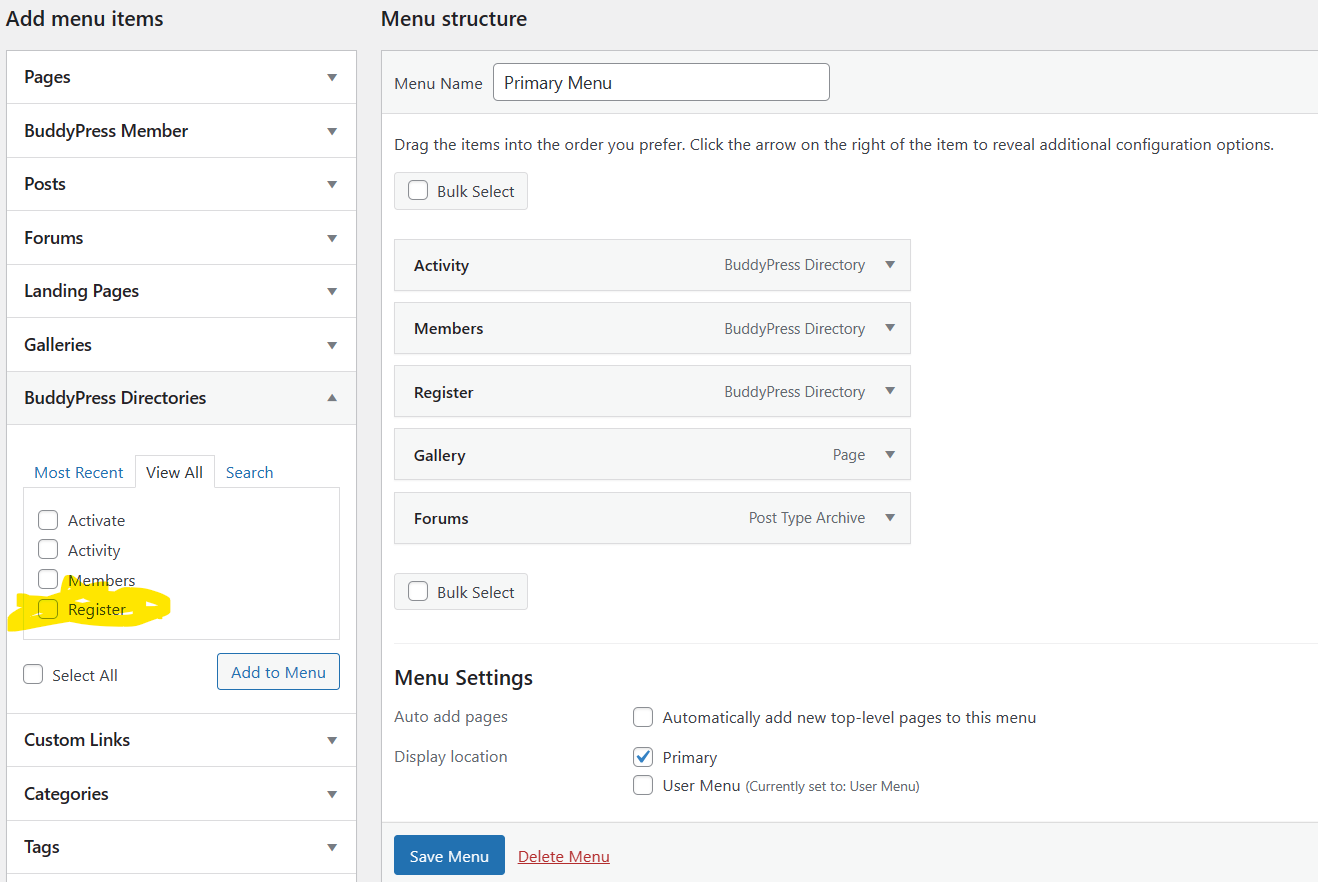
- Add Register Link to Menu: In Appearance/Menus, go to the Primary Menu and add the BuddyPress menu link for Register (and not the standard one). Otherwise, registration will fail. Use the link under BuddyPress Directories and not the one in the logged out section of BuddyPress Members.
Leave a Reply