
Author: admin
-
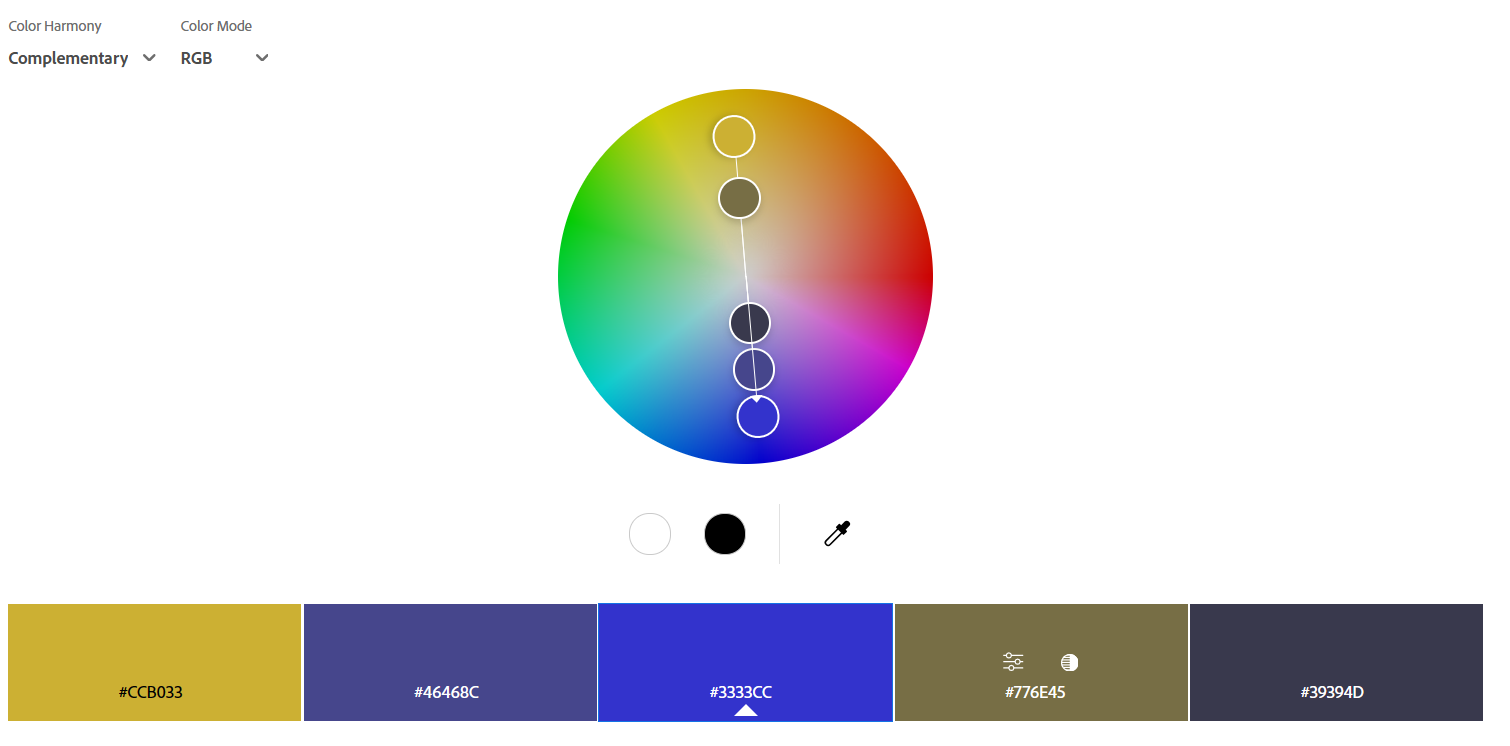
PlanetLoser Color Pallette
Source This pallete comes from the Adobe Color Pallette Picker. “Classy Pallette” and “Matching Pallette” are from Here. The base color is #3333CC Complementary #CCB033 #46468C #3333CC #776E45 #39394D Split Complementary #CCC333 #CC9E33 #3333CC #39394D #4D4429 Double Split Complementary #8B3DCC #CC9947 #3333CC #C0CC1F #297FCC Compound #3384CC #C1CC33 #3333CC #CCB033 #454577 Classsy Pallette #3333CC #AEA8BA #7A7585…
-
Image Sizes in BuddyBoss Platforom Display
Forums To resize images uploaded in the forums, go into Customize and Additional CSS and enter Activity feed To resize imaged in the Activity Feed, go into Customize and Additional CSS and enter BuddyBoss Activity Feed To resize forum uploaded images (or any other ones) in BuddyPress/BuddyX, go into Additional CSS and enter BuddyBoss Front…
-
BBPress Forums
Intro In order to use forums with the BuddyPress plugin, you need to install the BBPress plugin and configure it. Installation Go to the Dashboard and in Plugins, go to Add Plugin. Search for BBPress. Install it and Activate it. Setup From the Dashboard, go to Settings/Forums. First is Forum User Settings: Leave these settings…
-
MediaPress
Intro In order to use MediaPress with the BuddyPress plugin, you need to install the MediaPress plugin and configure it. Installation Go to the Dashboard and in Plugins, go to Add Plugin. Search for MediaPress. Install it and Activate it. Setup Once activated, go to the Dashboard and Select MediaPress/Settings. After you configure MediaPress, Add a new page. For the title, enter “Gallery”.…
-

BuddyPress
Intro BuddyPress is the cornerstone to the creation of a Social Media website in WordPress. This will include BuddyPress and a few (perhaps) BuddyPress-specific plugins. Here, we’ll just deal with installing BuddyPress. Installation In the Dashboard, Go to Plugins and select Add Plugins. Search for BuddyPress, and Install and Activate it. At this point, assuming…
-
Install BuddyX Theme
Intro Before we install any new themes, from the Dashboard, click on Appearance then Themes. This will bring you to the themes page. Delete all themes except for the currently active theme. Installation Click the Add Theme button. This will bring you to; Now, click the WordPress.org Themes tab. In the page that appears, search…
-
WP Vivid Backup, Staging, Migration plugin
Intro This plugin will perform 2 critical functions: Install the Plugin Go to Dashboard and select Add New Plugin. Search for ‘wpvivid backup migration” or go to this link. Click Install and then Activate. Tutorial Watch the following video for details on how to use this plugin: Backup To do the backup, go to Dashboard/WP…
-

Set Up Your New Site
Intro Now that you’ve installed your WordPress site, it’s time to set it up. There’s basic housekeeping that has to happen. Initial Settings On the Dashboard, Select Settings/General. Here, you’ll verify the Site Name and Site Description. Also, set your timezone. I use New York. NOTE: For Membership, leave Anyone Can Register unchecked for now.…
-
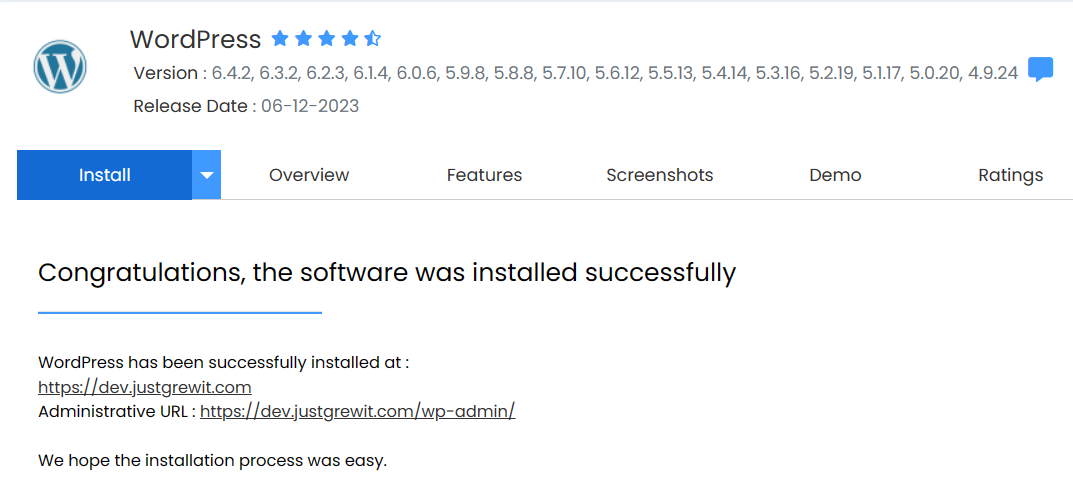
Install New WordPress Site (host)
Install via Softaculous In CPanel, go to Software and click Softaculous. This will bring you to the WordPress Install Page. Here you’ll see the following: Click on the Install button. Then you’ll see the Installation screen. Fill in the details in the Software Setup Screen. Choose your domain (in this case it is a subdomain…
-
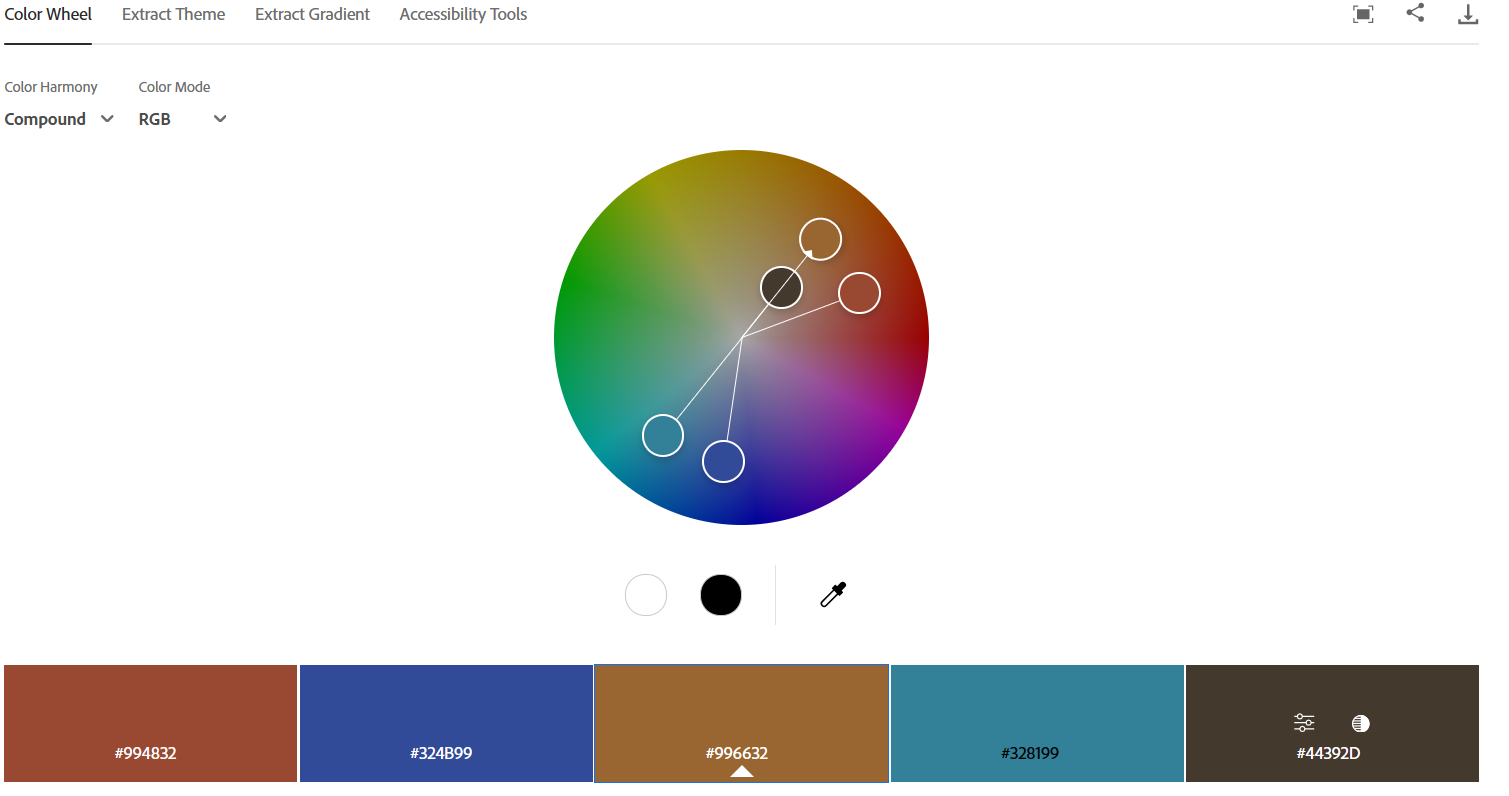
JustGrewIt Color Pallete
Source This pallete comes from the Adobe Color Pallette Picker. The base color is #996633 Complementary #328199 #594734 #996632 #2D3F44 #FFE9D4 Split Complementary #326099 #329990 #996632 #FFE9D4 #D4E7FF Double Split Complementary #997F3A #42997E #996632 #233F99 #99422B Compound #994832 #324B99 #996632 #328199 #44392D
Adsense Code Colors Gallery Google Image Just Grew It JustGrewIt Lightbox Mediapress Planet Loser Plugin Setup Skin Wingflap